
You didn't become a teacher
to log data points.
Attendance. Behavior logs. Exit tickets. Running records. Parent emails. IEP minutes. Differentiated plans for every student. Progress monitoring across every standard. Sub plans by Friday. The real teaching has to fit in whatever minutes are left — and there are fewer of those every year.
Sparkfield collapses the busywork. Behavior, mastery, attendance, differentiation, and progress monitoring all live in one place — captured the moment it happens, organized for you, surfaced when it matters. The recording is automatic, so your time goes back to the parts only you can do: analyzing the data, building the scaffolds, and designing the lessons students actually remember.
Parents are looped in automatically — they see real progress in real time, so every conference starts with shared context instead of catch-up. You see the patterns before they become problems. Families show up as partners, not as a follow-up on your to-do list.
Sparkfield carries the weight — so you can carry what only you can.
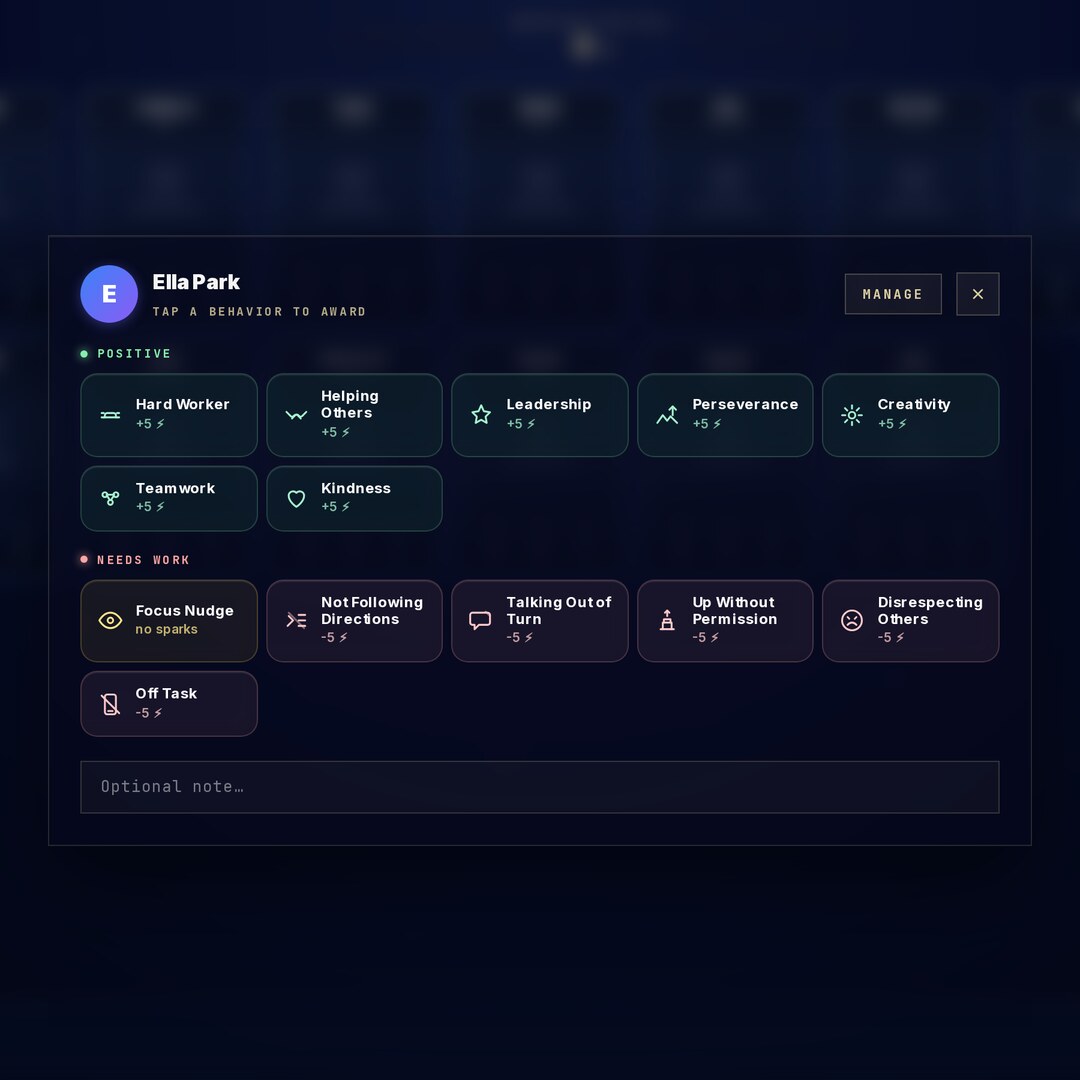
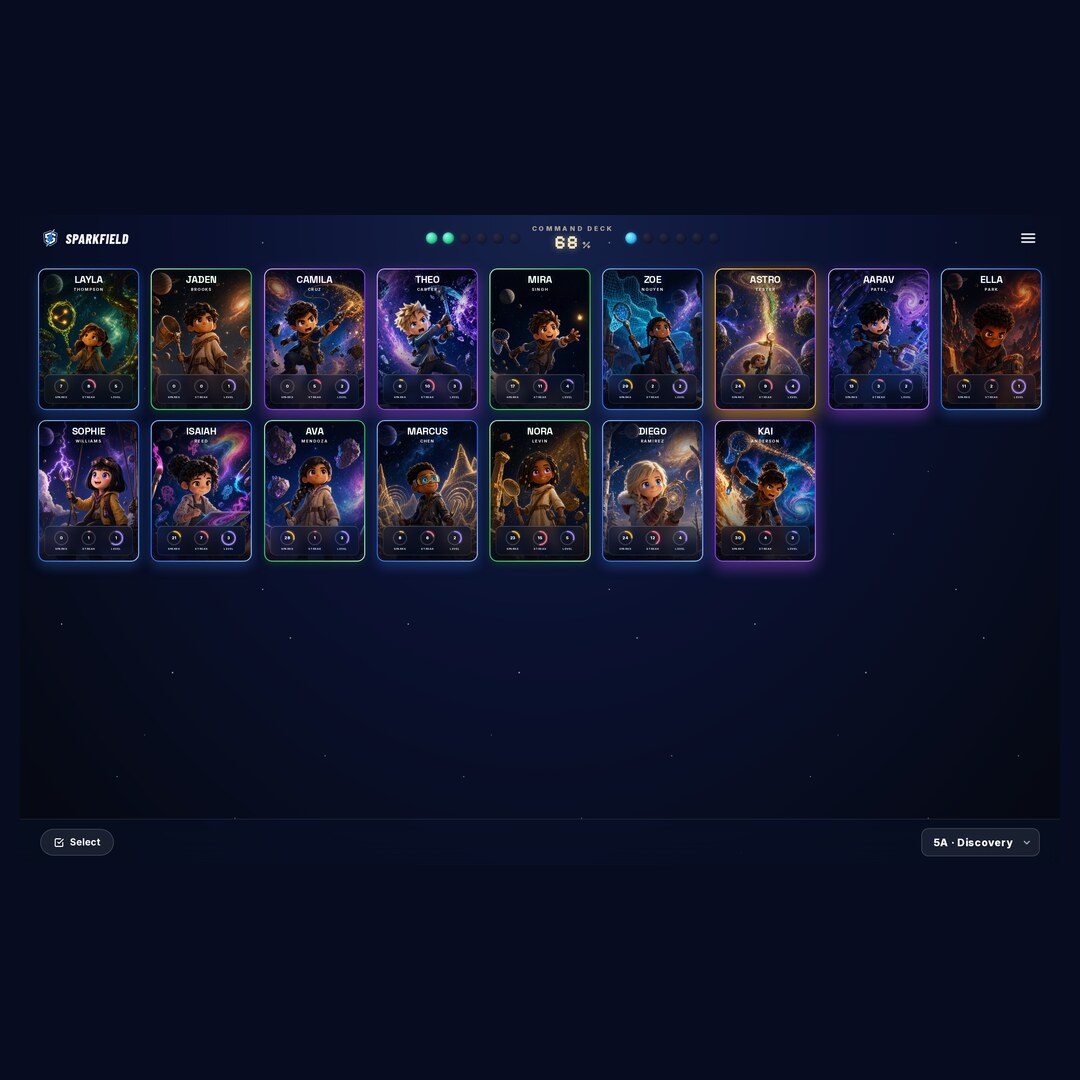
One screen runs the room.
Sparks, behavior moments, pending reviews, who's ahead, who's stuck — every classroom signal on a single live deck. No spreadsheets, no tab juggling, no end-of-day catch-up.
Every learner at the right rung.
Set a level per student and Sparkfield handles the rest. Vocabulary, reading complexity, and problem difficulty adjust on the fly — so IEPs, 504s, ENL learners, and advanced students are all met in the same period.
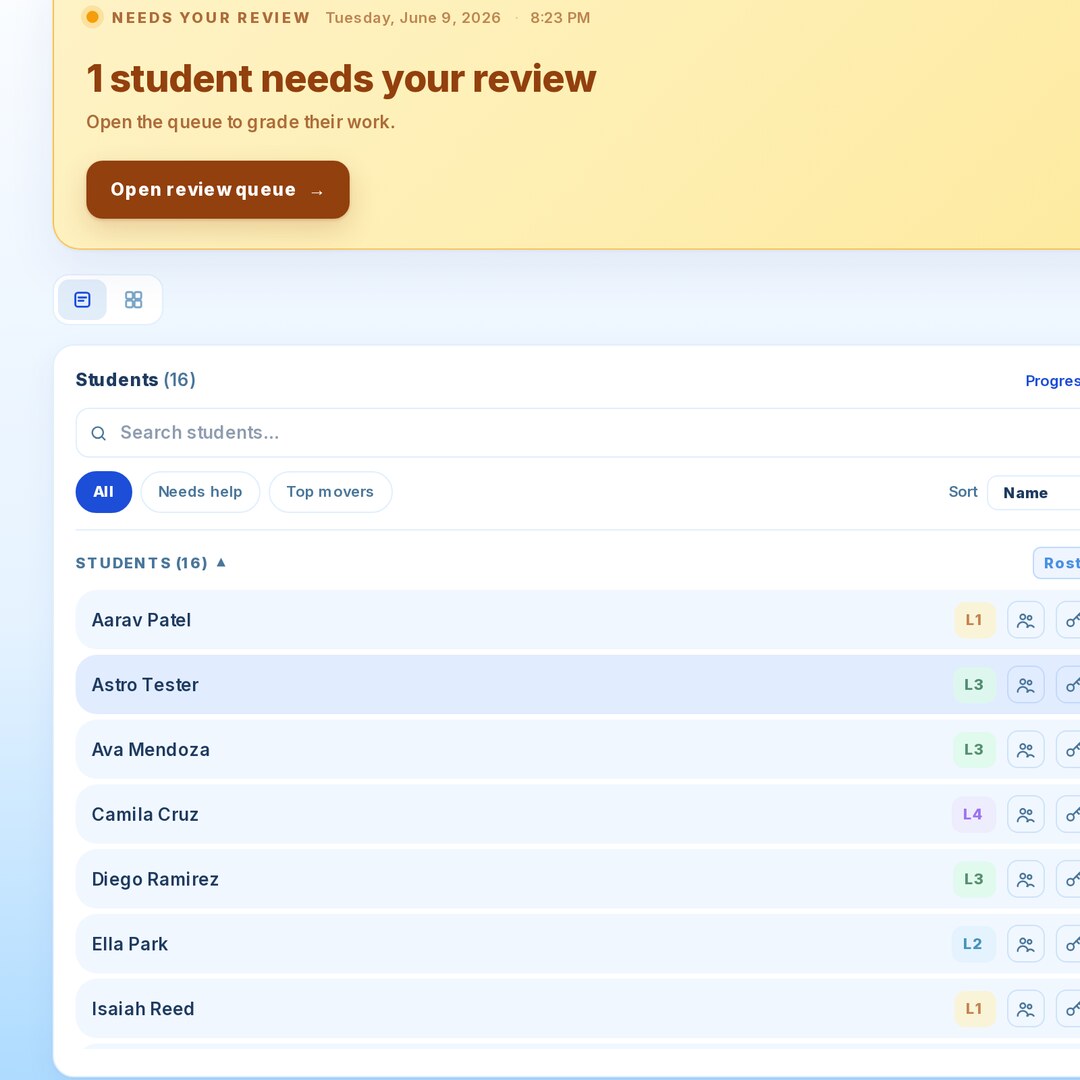
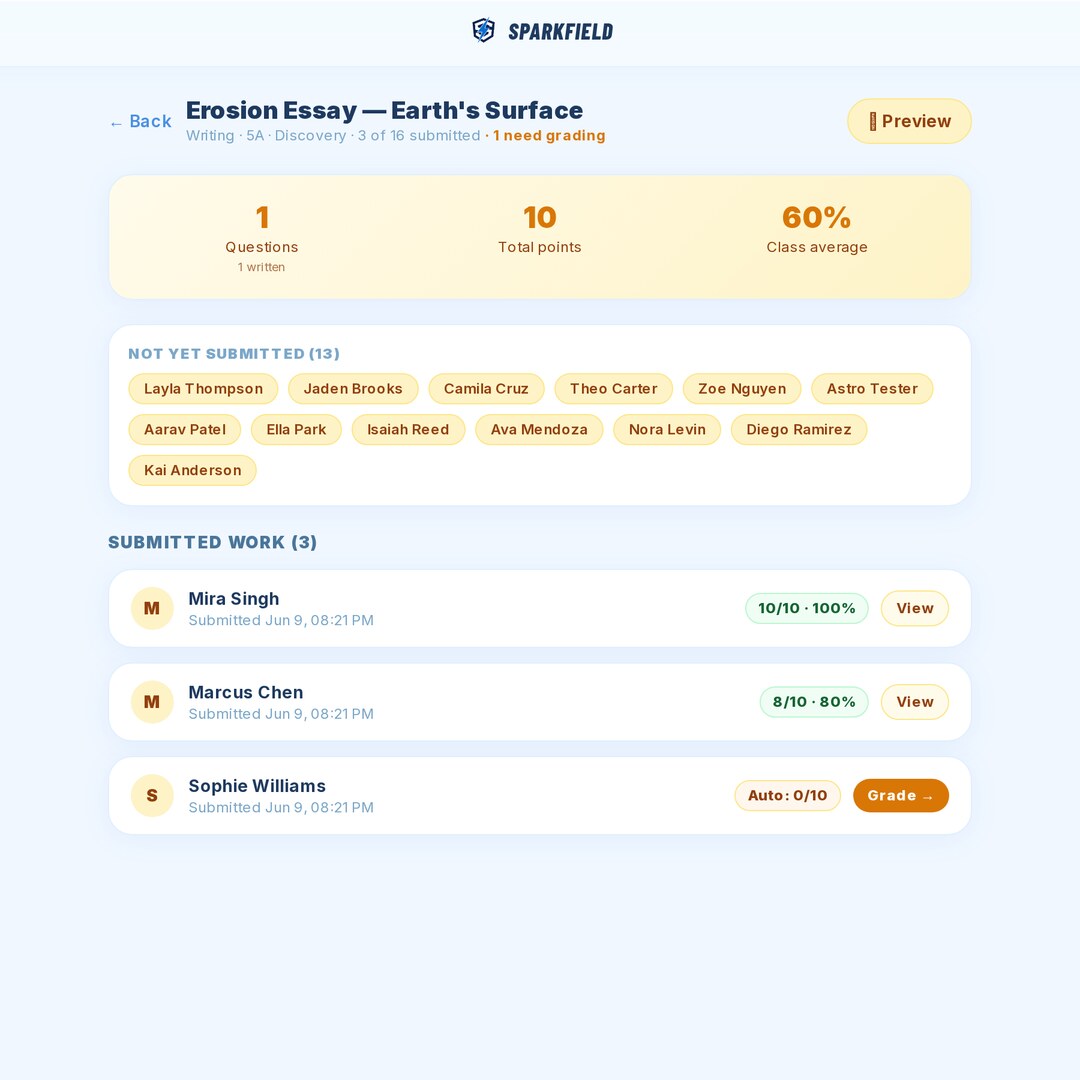
Quizzes, tests, and writing — scored for you.
Build an assessment in five minutes. Writing assignments score against your rubric — AI drafts the feedback, you stay the final judge. A weekend of grading turns into a Sunday scroll.
Practice that feels like an adventure.
Students review and apply what you've taught — exploring biomes, collecting Spark Cards, and tackling quick hands-on activities like counting coins or sorting ideas — as the class galaxy lights up planet by planet. It reinforces your lesson; it doesn't replace it.
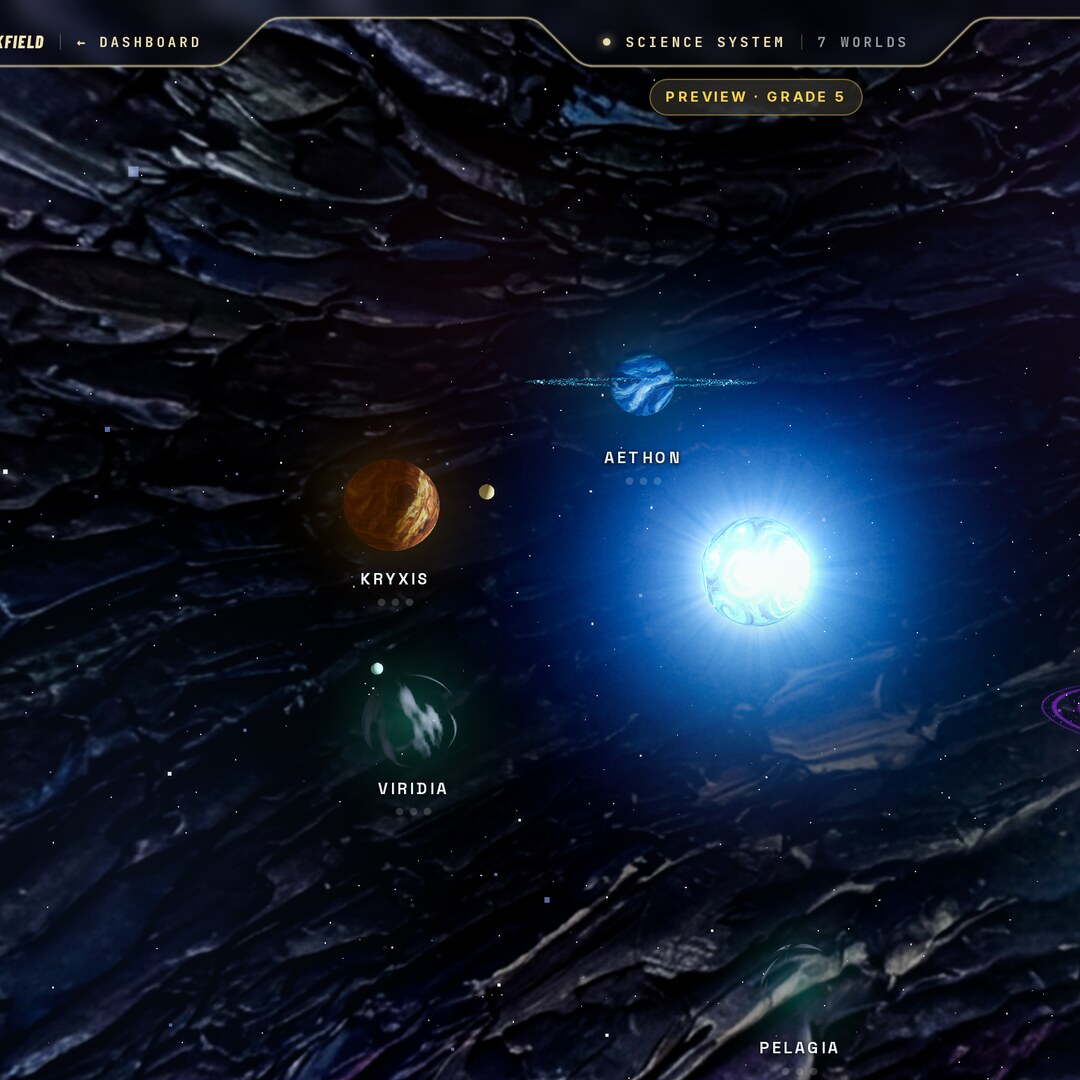
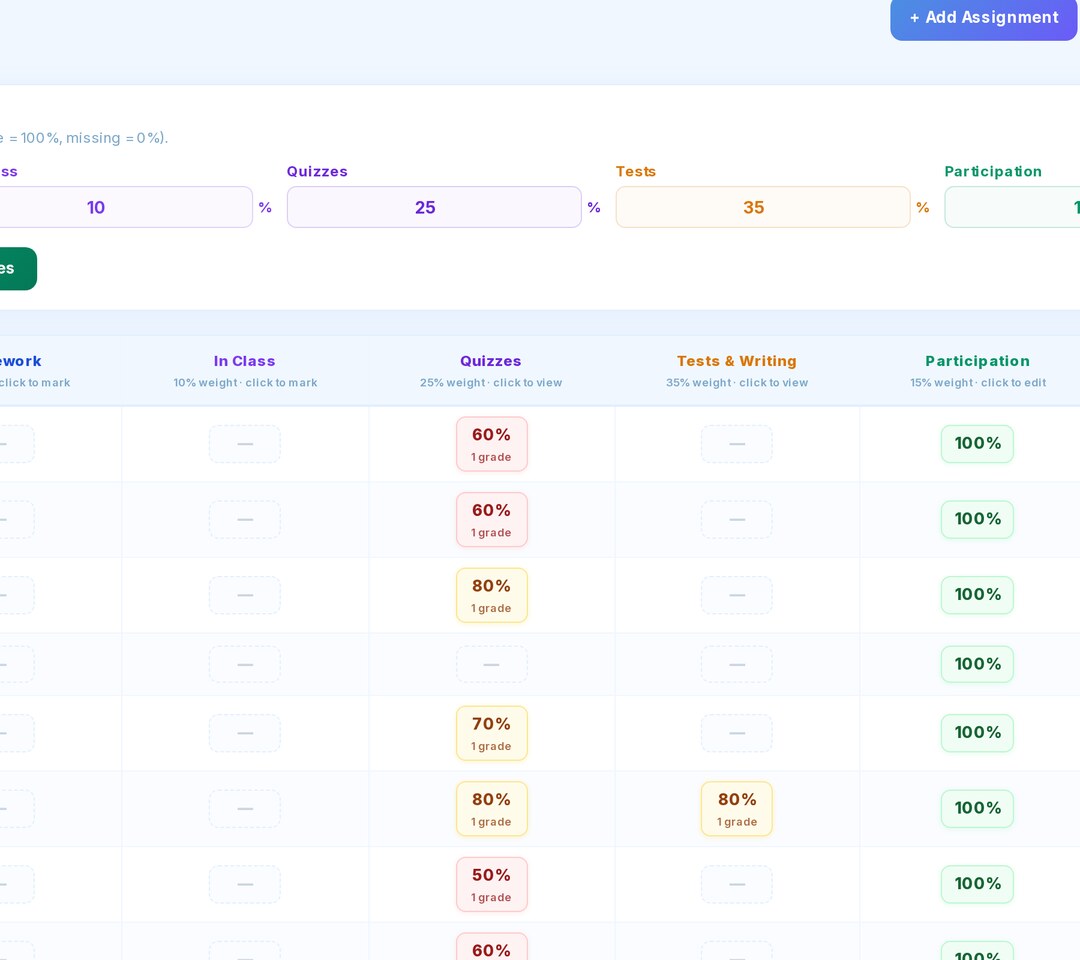
Every question. Every standard. Documented.
Every Sparkfield question maps to a grade-level standard — NGSS for Science, the NYS framework for Social Studies, and ELA / CASEL-aligned benchmarks for Life Skills. Coverage reports are one click away — admin justification, handled.
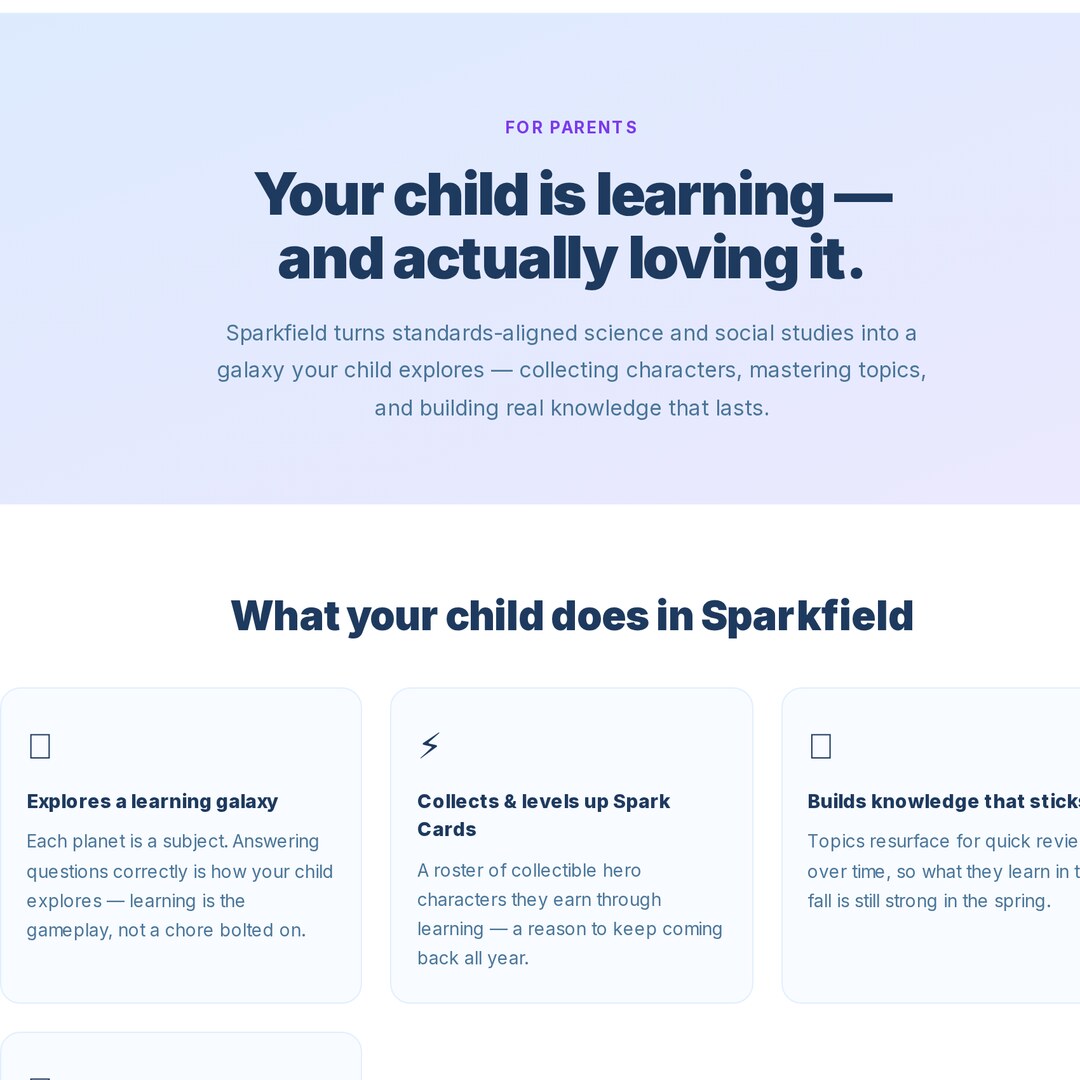
Families show up as partners.
The read-only Parent Portal gives families real progress in real time — mastery, behavior, sparks, recent work. Every conference starts with shared context, not catch-up.
Small things. Real lift.
Free, Pro, or Pro Plus.
Start free, no card required. Upgrade when you're ready.
- 1 class · unlimited students
- Full question bank (NGSS + Social Studies)
- Spark Cards gamification
- Challenge builder
- Class-wide Eclipse mission (the team quest)
- Nova AI assistant — 10 messages/day
- Everything in Free
- Unlimited classes
- Per-student differentiation (L1–L4)
- Assisted writing + essay grading
- Reading challenges (stimulus split-screen)
- Co-teacher access
- Read-only Parent Portal
- Personal library — save & reuse assignments
- Nova AI assistant — 50 messages/day
- Everything in Pro
- Nova AI assistant — 200 messages/day
- 2,500-item library + file uploads (PDFs, images)
- Priority support
- Early access to new AI features
A supplement, not a substitute.
Sparkfield is built by a working teacher who is skeptical of edtech, too. The research is consistent: technology doesn't teach children — teachers do. The things that move learning most are human — clear instruction, feedback, and relationships — and no screen replaces books, discussion, and hands-on work. So we don't try to be the lesson. We handle what software is genuinely good at — checking for understanding, retrieval and spaced practice, and enrichment for early finishers — and hand back the hours that grading and busywork used to eat, so you can plan and teach the collaborative, real-world lessons that actually move kids.
- ✓A fast, low-stakes way to measure mastery and understanding
- ✓Retrieval and spaced practice that helps learning stick
- ✓Enrichment — and a meaningful option for early finishers
- ✓A grading-and-busywork eliminator that gives teachers time back
- —A replacement for you or your instruction
- —A substitute for books, talk, and hands-on learning
- —A curriculum that teaches the topics for you
- —A screen-time sink — it's used in short, focused bursts by design
It's the same conviction behind why we start at grade 3 — the developmental shift from learning to read to reading to learn — and why we keep every minute of screen time purposeful and brief.
Tiered support, built right in.
Sparkfield turns everyday practice into a live MTSS picture. See your whole class as the tiered triangle — who's on track, who to watch, who needs intensive support — across academics and behavior. It surfaces who needs what; you lead the support.
A quick benchmark places every student into tiers up front — no waiting on a semester of data.
A live academic + behavior triangle shows who's Tier 1, 2, or 3, and flags the students to watch with their weakest skill.
Start a tracked intervention in a tap and watch accuracy climb toward a goal line — real progress monitoring, not guesswork.
It's the supplement-not-substitute idea at the system level: Sparkfield is the data and practice engine — the teacher runs the intervention.
Questions teachers ask.
Is Sparkfield really free?
Yes — no card required. Free covers one class with unlimited students, the full question bank, Spark Cards, and the challenge builder. Pro unlocks per-student differentiation, assisted writing + essay grading, reading challenges, co-teachers, and the Parent Portal.
Is it safe and private for my students?
Yes. Sparkfield is COPPA and FERPA compliant, with privacy built in from the ground up. Students don't need an email — they join with a class code and a username. The Parent Portal is read-only, and we never sell student data.
How long does setup take?
Under five minutes. Sign up, create a class, share the join code. No installs, no IT ticket, no roster import required to start.
What grades and subjects does it cover?
Grades 3–5 today, with three subjects live now: Science (NGSS), Social Studies, and Life Skills (digital citizenship, money, reading, character, and more) — many with hands-on drag-and-drop activities. Grade 6 is next, with additional subjects rolling out behind it.
Will Sparkfield expand to younger grades, like K–2?
Not yet — and that's a deliberate choice. We start at grade 3 for two reasons. First, leading health authorities — the World Health Organization, the American Academy of Pediatrics, and the Canadian Paediatric Society — recommend avoiding screens for the youngest children and keeping screen time minimal and high-quality through early childhood. Second, grade 3 is the well-documented developmental shift from learning to read to reading to learn (Chall's stages of reading development) — the point where the standards-aligned, read-and-respond practice Sparkfield is built on truly clicks. For younger learners, that time is better spent on play, books, talk, and real-world connection. This is our current stance with the best evidence we have today; as research and technology evolve, we'll keep listening and adapt.
Does Sparkfield replace teaching?
No — and it isn't trying to. Sparkfield is a supplement, not a substitute. The research on what actually moves learning is consistent: the highest-impact factors in a classroom are human — clear instruction, feedback, and relationships — and the most reliable thing software can add is more practice and faster, better assessment. (The UK's Education Endowment Foundation specifically recommends technology be used to “supplement, rather than replace” teaching.) So Sparkfield handles mastery checks, retrieval practice, and enrichment for early finishers, and gives you back the hours grading used to cost — so your energy goes to the collaborative, hands-on lessons only a teacher can lead.
Isn't more screen time bad for kids?
It can be — and we take that seriously. There's real evidence that screens used poorly fragment attention, and that piling more technology into classrooms doesn't reliably improve learning (UNESCO's 2023 global review and Sweden's recent return to printed textbooks are good examples). Our answer is to use technology narrowly and on purpose: Sparkfield is built for short, focused bursts — an assessment, a quick practice round, an enrichment task for a student who finished early — not hours of passive screen time. It's a tool for measuring mastery and freeing teacher time, so more of the day can go to books, discussion, and hands-on work.
Does Sparkfield support MTSS / RTI?
Yes. Sparkfield gives teachers a live MTSS view of each class — an academic and behavior tier triangle (Tier 1/2/3), a quick benchmark screener that places students into tiers up front, and tracked interventions that monitor a student's progress toward a goal line. It surfaces who needs support and supplies targeted practice; the teacher runs the intervention.
Can parents see their child's progress?
Yes. The Parent Portal gives families a read-only window into mastery, behavior, sparks, and recent work — so every conversation home starts with shared context, not catch-up.
Does it work on my school's devices?
It runs in any modern browser — Chromebook, iPad, Mac, or Windows. No installs, no IT ticket, no admin password to type.
Set up your classroom
in five minutes.
Sign up, share a join code, run a class. No card required. By Sunday, you're ready for Monday.