

01
The moments you’d miss.
Class updates bring the school day home: what the class is exploring, a teacher’s reminder, or a little moment worth sharing.
SCHOOL + HOME · FOR FAMILIES
The discoveries. The reminders. The “guess what I did today.” Stay connected to your child’s classroom, and the people helping them grow.
Start with the link, QR code, or invitation code from your teacher.
 A window into their world
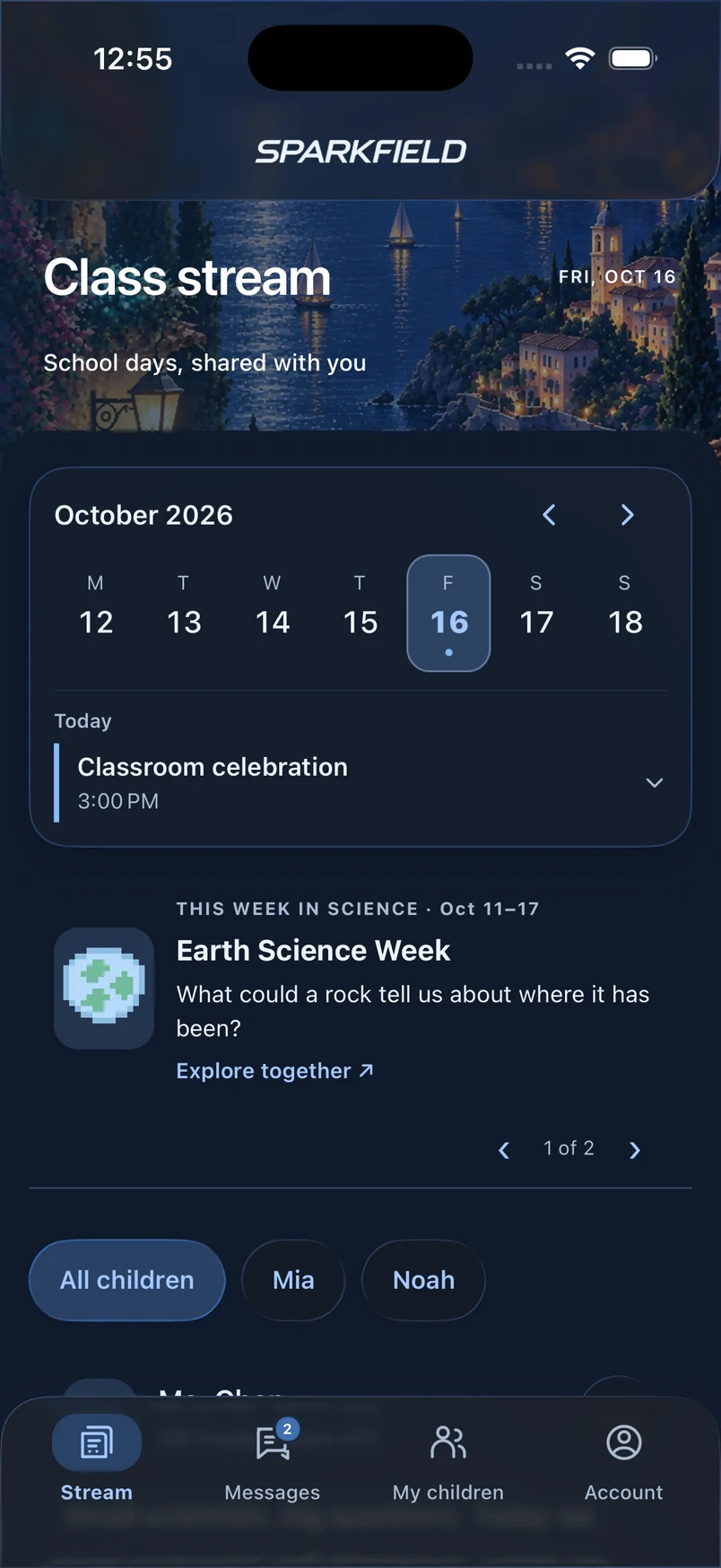
THE LITTLE THINGS MATTER
A thoughtful place for the everyday connection between your family and your child’s teachers.
Class updates bring the school day home: what the class is exploring, a teacher’s reminder, or a little moment worth sharing.
Ask a question or share a small win in private messages with your child’s teacher. Keep the conversation together in your parent account.
Book an available time in the class calendar. If your teacher sends a guest booking link, you can book with a verified email and manage it from your confirmation.
Teachers choose whether to share a score or include the work and feedback. Use help-at-home ideas to keep the conversation going.
Review notices and next steps. You can also opt in to a weekly email summary with a verified email address.
What you see depends on your connected classes and what their teachers share.
A SIMPLE START
There’s no classroom to set up. Just connect your family to the one your child already belongs to.
Follow the private link, scan the QR code, or enter the code from your teacher.
Sign in or create a parent account with your email. Your child uses a separate student login.
If you request a class connection, your teacher needs to approve it before you can see student information.
No invitation yet, or has it expired? Ask your child’s teacher for a new one.
YOUR PARENT ACCOUNT
Use your parent account on the website, iPhone, or Android. Features and languages can vary by app release.
Use the language selector above for the getting-started steps and family Help. The setting changes supported screens and instructions. Messages are shown as written.
MEET THEIR LITTLE EXPLORER
There’s a student side to Sparkfield, too. A place for your child to express themselves, explore, and learn with their class.
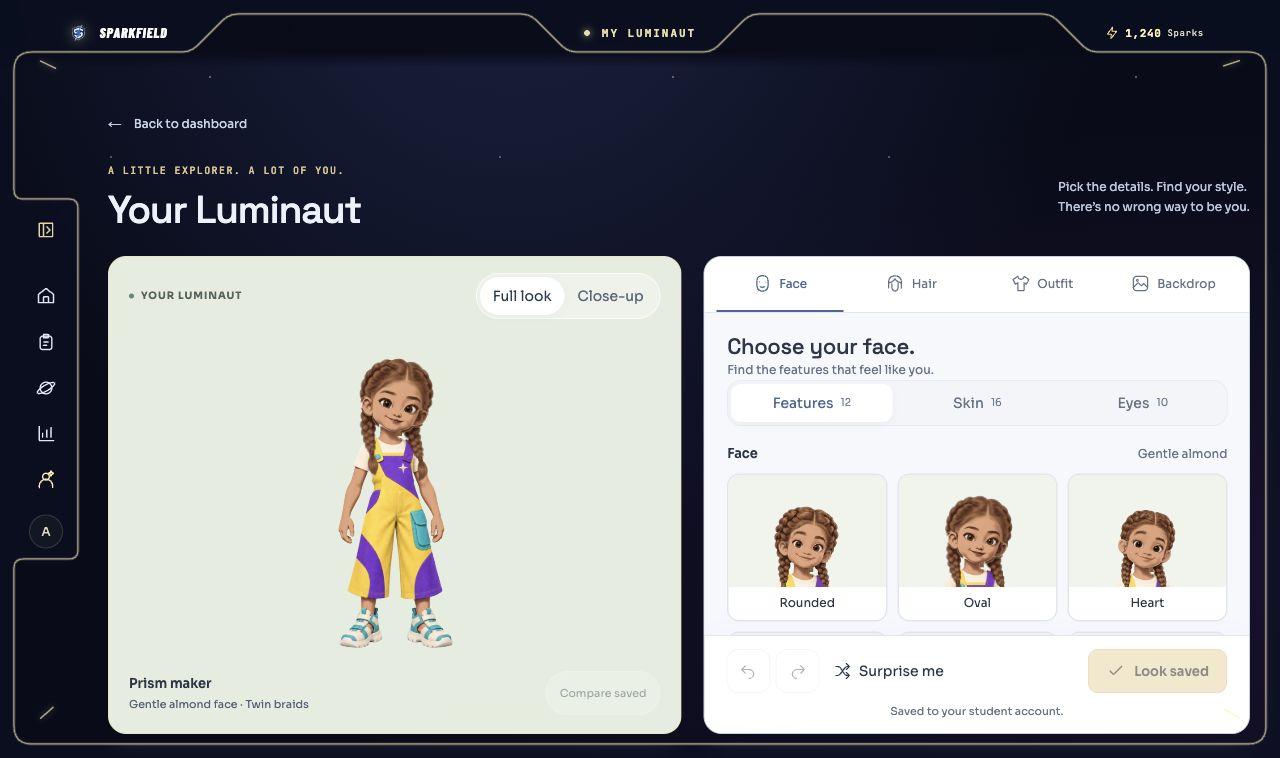
Students choose their character’s face, hair, colors, and explorer outfit. Their Luminaut can appear in their teacher’s classroom Command Deck.
Missions give students a place to start with teacher-assigned work. Learning worlds offer science, social studies, and life skills practice.
First-time correct practice answers earn Sparks and help reclaim the class’s home territory from the Eclipse. In Mission Control, counties light up as progress grows. Learning moves the mission forward; students keep their Sparks.
Sparks are personal learning rewards. Territory progress is a shared class goal once a teacher has chosen a home territory. Repeating an already-correct practice question doesn’t add another contribution. Ask your child which discovery helped their class today.
CONNECTION WITH CARE
Family access is tied to your connected children. Class connection requests need teacher approval, and protected records are checked before they’re shared.
Explore privacy & securityParent access is limited to connected children.
Sparkfield does not sell personal information or use student information for targeted advertising.
Student accounts don’t require an email address. Sparkfield also processes learning activity and submitted work. Read the privacy notice.
A FEW HELPFUL ANSWERS
For a missing invitation or student login, your child’s teacher is the best place to start.
Need another hand?Open the private link or scan the QR code from your teacher. You can also enter an invitation code on the family connection page. Sign in or create a parent account, then follow the invitation. Class connection requests need teacher approval before student information becomes available.
Ask your child’s teacher for a family invitation. They can provide a link, QR code, or short code. Keep it private; it is how Sparkfield connects your account to your child.
Use your own parent account for family updates and messages. Your child has a separate student login for assignments and the learning world. If the take-home sheet includes both, choose the family invitation to connect as a parent.
Yes. Use the same parent account and add each child with their teacher’s invitation. Another caregiver can ask the teacher for their own invitation and connect with their own account.
School and family connections and student Luminauts support K–5 classrooms. The interactive learning adventures are for grades 3–5. Your child’s teacher sets the class’s assignments and learning access.
Yes. Parents can sign in on the website or mobile app with the same parent account. Students use their student login on the website to open assigned work and the learning adventures their teacher makes available.
WELCOME TO SPARKFIELD